


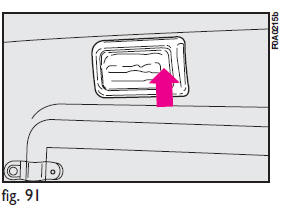
Press the short side of the lens fig.
91 to switch the light on and off.
See also:
Button volume (Keys Volume)
The volume of the roger-beep accompanying the activation of certain buttons can
be adjusted according to 8 levels. The roger-beep can be adjusted and excluded.
To adjust the volume proceed as foll ...
The Fiat code system
To further protect your vehicle from theft, it has been fitted with an engine
immobilising system (Fiat CODE system) which is automatically activated when the
ignition key is removed.
An electron ...
Very important
REFUELING
Petrol engines: only refuel with unleaded petrol with octane rating (RON) not
less than 95.
Diesel engines: refuel diesel engine vehicles with diesel fuel for motor vehicles
meeting ...