


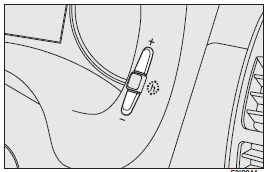
To adjust the time, press button (+) to increase minutes, button (–) to decrease minutes. Every press on the button increases or decreases by one unit. Keeping the corresponding button pressed obtains automatic fast increase or decrease. When you are near the required value, release the button and complete adjustment with single presses.
See also:
To reset the memorised speed
If the device has been disengaged for example pressing the brake or clutch pedal,
the memorised speed can be reset as follows:
❒ accelerate gradually until reaching a speed approaching the o ...
Set clock
Press button h. Each pulse on the button will obtain increase by one unit. Automatic
fast increase is obtained by keeping the button pressed for few seconds. When you
are near the required value, ...
Cigar lighter
Press button (A) with ignition key at MAR.
After approx. 15 seconds it will return to its initial position and is ready
for use.
IMPORTANT Always check that the cigar lighter has turned off.
IM ...