


This function allows the illumination of the space in front of the vehicle.
Turning the function on
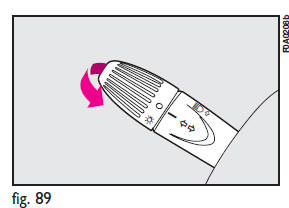
With the ignition key at STOP or removed, pull the left-hand stalk towards the steering wheel and operate it within 2 minutes from when the engine is turned off.
At each single movement of the stalk, the staying on of the lights is extended by 30 seconds up to a maximum of 210 seconds; then the lights are switched off automatically.
Each time the lever is operated, the warning light
 on the instrument cluster will come
on and the display will show the time of activation.
on the instrument cluster will come
on and the display will show the time of activation.
The warning light comes on the first time the lever is operated and will stay on up to automatic function deactivation.
Each operation of the lever will extend lights switching on time.
Turning the function off
Keep the stalk pulled towards the steering wheel for more than 2 seconds.
See also:
Electronic Vehicle Information Center (EVIC)
The Electronic Vehicle Information Center (EVIC) features a driver-interactive
display that is located in the instrument cluster.
Electronic Vehicle
Information Center (EVIC) Display
The EVIC ...
Air bag failure
Turning the ignition key to MAR the warning light on the dial turns on, but it
should go off after few seconds. The warning light stays on glowing steadily (on
certain versions together with t ...
Front passenger air bag deactivated
Warning light comes on on the dial when front passenger air bag is deactivated.
With front passenger air bag on, turning the ignition key to MAR, warning light
comes on flashing on the cluster fo ...