


The Electronic Vehicle Information Center (EVIC) features a driver-interactive display that is located in the instrument cluster.
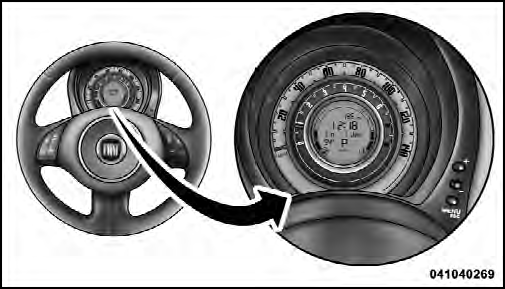
Electronic Vehicle
Information Center (EVIC) Display
The EVIC consists of the following:
• System Status
• Vehicle Information Warning Message Displays
• Personal Settings (Customer-Programmable Features)
• Outside Temperature Display
• Trip Computer Functions
See also:
How To Engage The Automatic Locking Mode
1. Buckle the combination lap and shoulder belt.
2. Grasp the shoulder portion and pull downward until the entire belt is extracted.
3. Allow the belt to retract. As the belt retracts, you will hear ...
Transporting children safely
SERIOUS DANGER: Never place cradle child’s seats not facing the running direction
on the front seat of vehicles with passenger’s airbag, which during inflation could
cause serious injury, even ...
Air bag failure
Turning the ignition key to MAR the warning light on the dial turns on, but it
should go off after few seconds. The warning light stays on glowing steadily (on
certain versions together with t ...