


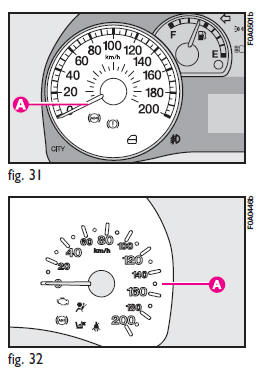
The speedometer A-fig. 31 - 32 shows the vehicle speed.
See also:
Activation/deactivation (CITY function)
To connect/disconnect the CITY function, push the button located on the central
tunnel .
Activation of this function is indicated by the word CITY on the instrument panel
(see figures beside).
...
Supplemental Side Air Bag Inflatable Curtain(SABIC) Inflator Units
During collisions where the impact is confined to a particular area of the side
of the vehicle, the ORC may deploy the Supplemental Side Air Bag Inflatable Curtain
(SABIC), depending on the severi ...
Headlight washers
They are activated automatically when the windscreen washer is operated with
dipped beam headlights or main beam headlights on.
IMPORTANT Regularly check that the spray jets are intact and clean. ...